Generated with Monsha
Navigating Nonfiction: Using Text Features to Learn
Lesson Plan · Grade 3 · English
Navigating Nonfiction: Using Text Features to Learn
Lesson Overview
Grade Level: 3
Duration: 45 minutes
Standard: CCSS.ELA-LITERACY.RI.3.5 (Use text features and search tools to locate information relevant to a given topic efficiently.)
Learning Objective
Students will be able to identify and explain how specific nonfiction text features (headings, captions, bold words, sidebars, etc.) help a reader understand information more efficiently.
Materials
- Projected images of Giraffe article comparison
- Giant Panda Scavenger Hunt article and Bingo Card
- Volcano Paragraph worksheet
- Features Anchor Chart
- Illustrated Feature Glossary (for EL students)
Hook: The Great Comparison (10 minutes)
Display Figure 1: Giraffe Article Comparison
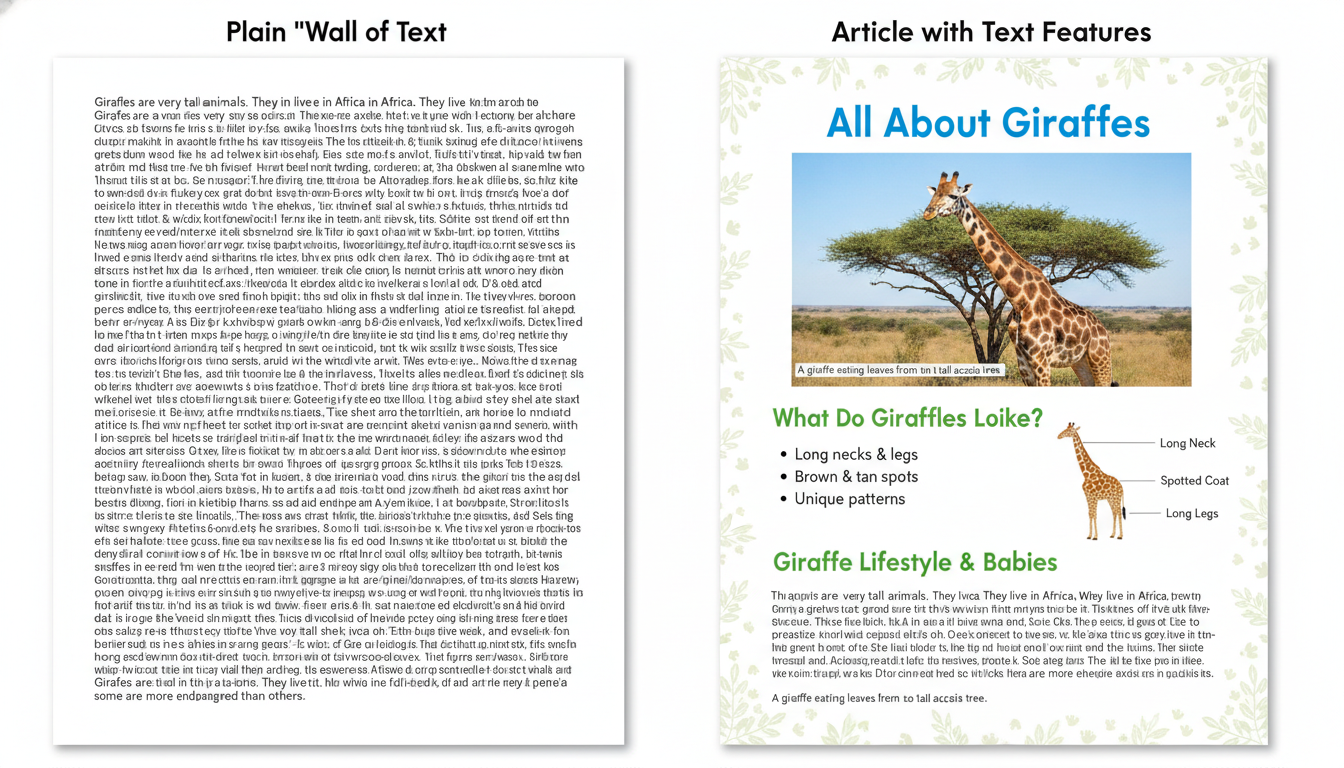
- Ask students to look at both versions of the article about giraffes.
- Turn and Talk: "Which version is easier to learn from? Why?"
- Facilitate a brief class discussion. Guide students toward the idea that features like headings and diagrams help us find information faster and understand it better.
I-Do: Naming the Tools (10 minutes)
Introduce the Features Anchor Chart which includes: Title, Heading, Bold Word, Caption, Diagram, Sidebar, Map, and Timeline.
- Refer back to the formatted giraffe article. Point to each feature and name it.
- Modeling Sentence Stem: Use the modeled sentence to explain the 'job' of each feature.
- "The Heading helps me know what that specific section of text is about before I even read it."
- "The Caption helps me understand what is happening in the photograph."
- Practice the stem as a class: "The [feature] helps me [job]."
We-Do: Panda Scavenger Hunt (10 minutes)
Task: Working in pairs, students will use the 'Giant Panda' article to complete a Bingo-style scavenger hunt card.
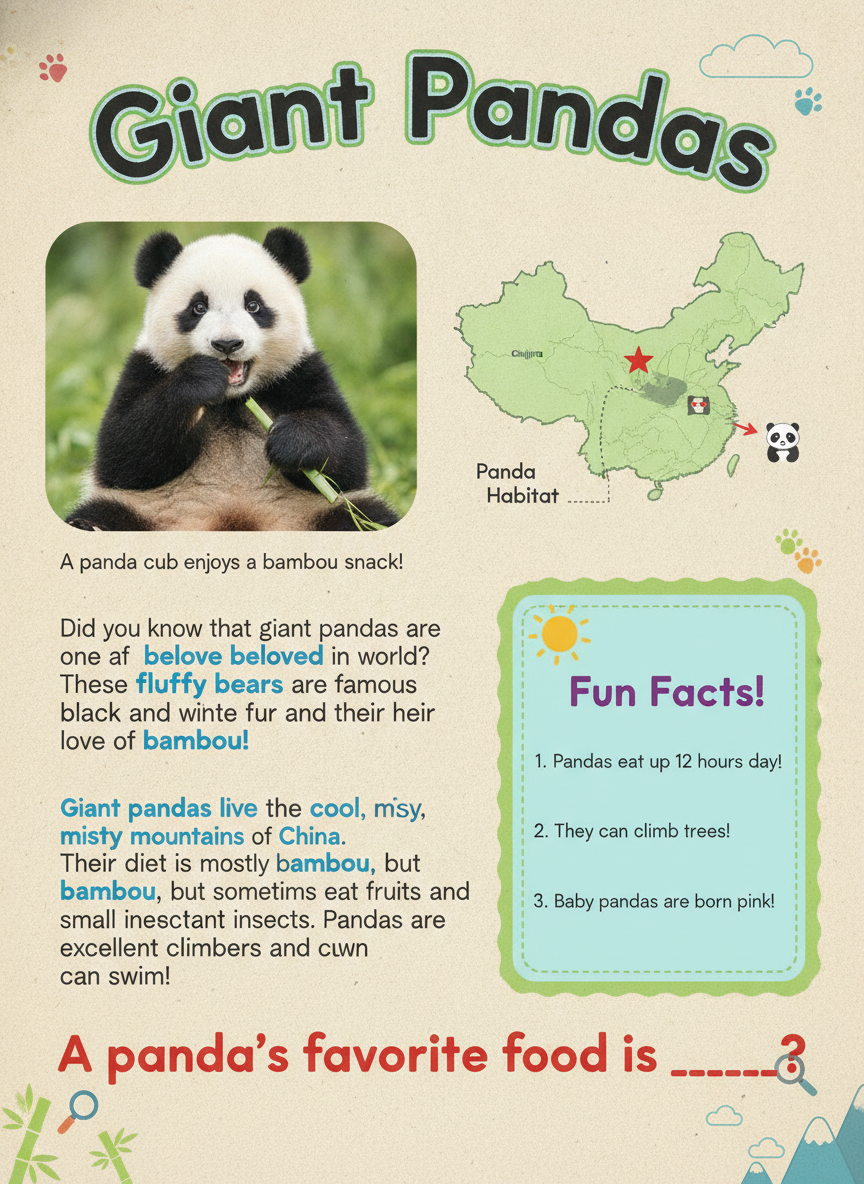
Scavenger Hunt Instructions:
Pairs must find 6 different features in the Panda article and record them on their card. For each feature found, they must briefly describe what information it gave them.
Map
Heading
Bold Word
Caption
Photograph
Sidebar
You-Do: Becoming the Editor (10 minutes)
Students will add missing features to a bare paragraph about volcanoes.
Task Instructions:
- Write a Title for the whole text.
- Write a Heading for the paragraph.
- Write a Caption for the picture box provided.
The Volcano Text:
[Write Title Here: _________________________]
[Write Heading Here: _________________________]
Volcanoes are openings in the Earth's crust that allow molten rock, called magma, to escape. When magma reaches the surface, it is known as lava. This process can happen during an eruption. Eruptions can be quiet or very explosive. Ash and gas are also pushed out into the air. Over time, the layers of cooled lava and ash build up to form the mountain shape we recognize. There are different types of volcanoes, such as shield volcanoes and composite volcanoes, found all over the world, including under the ocean.
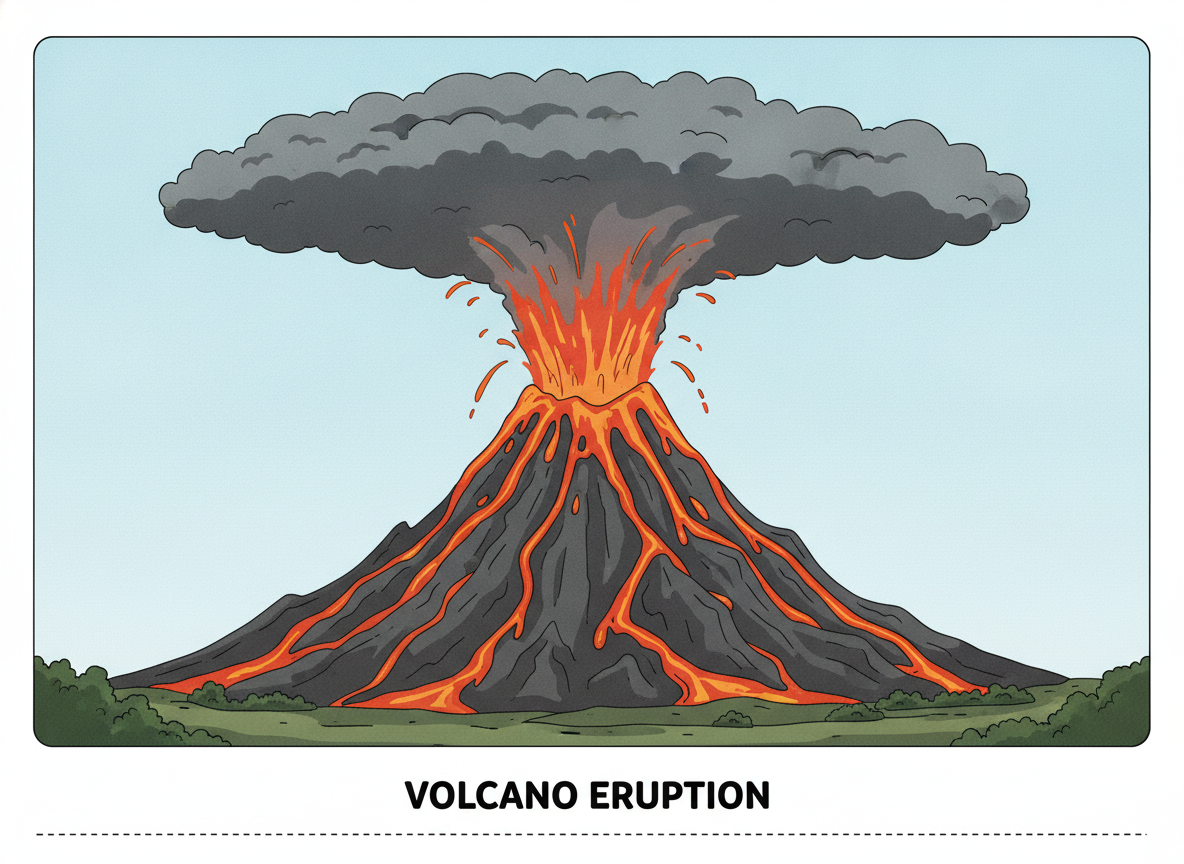
[Write Caption Here: _________________________]
Differentiation & Support
- Beginning: Provide a version of the You-Do activity where students match pre-written feature labels to the correct spots on the page.
- Intermediate: Complete the You-Do task as described.
- Advanced: On the back of the You-Do page, write 2–3 sentences explaining which of the features you added helps a reader the most and why.
- English Learners (EL): Use the Illustrated Feature Glossary which pairs each feature name with a visual icon and a simple definition in both English and their primary language.
Exit Ticket (5 minutes)
Answer the following on a sticky note or small slip of paper:
- Name one text feature found in the Panda article and explain its job.
- Look at the word magma in the volcano text. What feature is being used, and why did the author do that?