Generated with Monsha
Computer Parts Labeling Worksheet
Worksheet · Year 1 · English
Computer Parts Labeling Worksheet
Computer Parts Labeling
Name: ____________________
Date: ____________________
Activity 1: The Desktop Computer
Look at the picture of the desktop computer. Use the words in the word bank to label the parts. Write the correct word next to each number below.
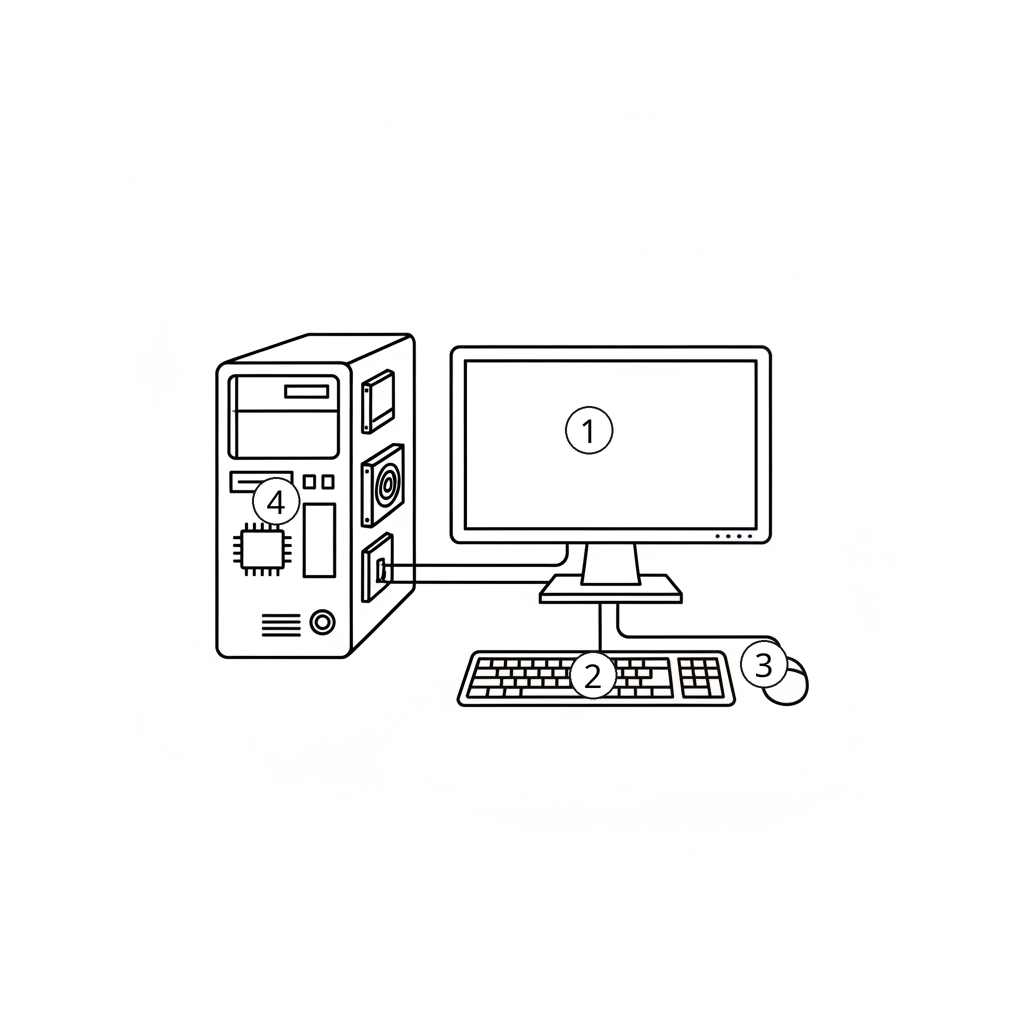
Word Bank:
Keyboard | Mouse | Monitor | System Unit
-
-
-
-
Activity 2: The Laptop Computer
Laptops have many of the same parts as a desktop computer, but they are all connected! Use the word bank to label the parts of this laptop.
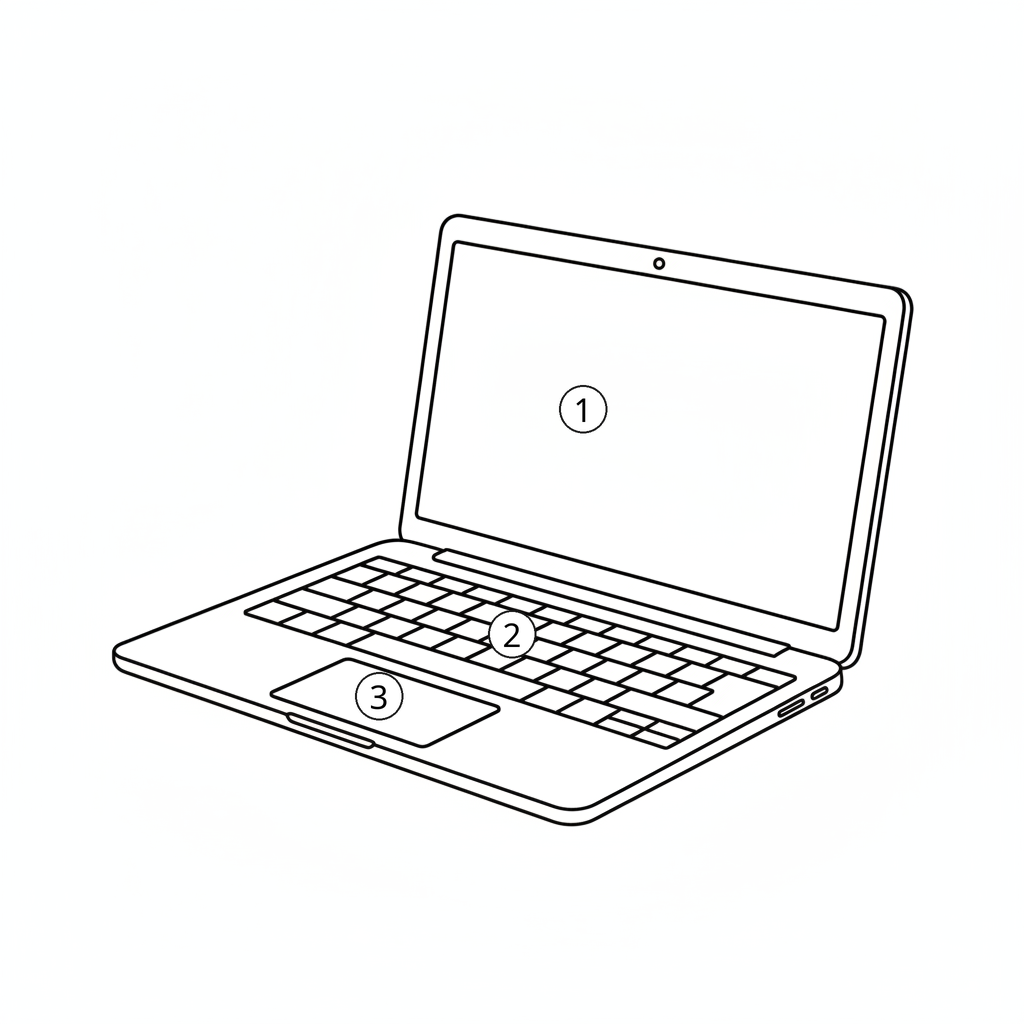
Word Bank:
Touchpad | Screen | Keyboard
-
-
-
Activity 3: The Computer Mouse
We use the mouse to click on things on our screen. Look at this close-up of a mouse and label the buttons.
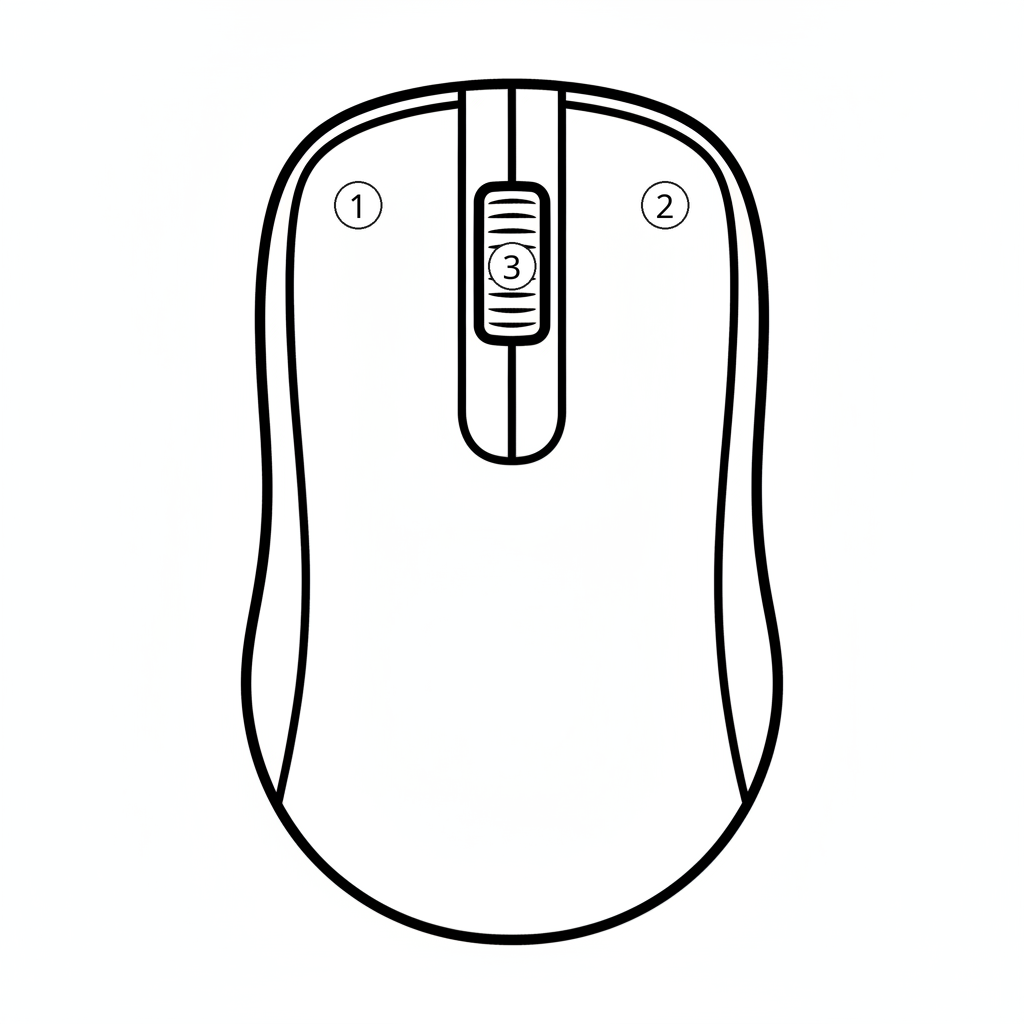
Word Bank:
Scroll Wheel | Left Button | Right Button
-
-
-
Activity 4: The Webcam
A webcam helps people see us during a video call. Label the parts of the webcam below.

Word Bank:
USB Cable | Lens | Stand
-
-
-
Activity 5: The Tablet Computer
Tablets are computers that we can hold in our hands. Use the word bank to label the parts of the tablet.
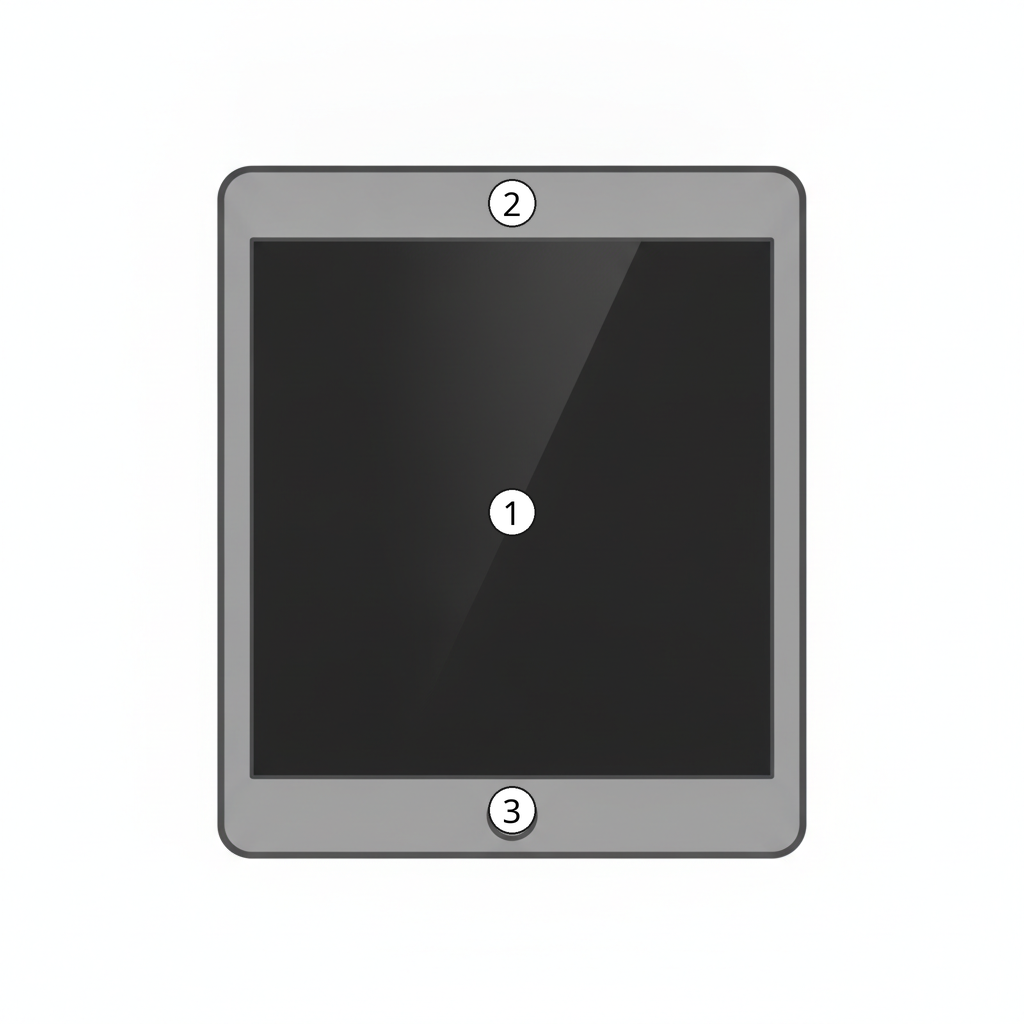
Word Bank:
Camera | Home Button | Screen
-
-
-